No courses, streaks, or complicated study system. Just open YouTube.
LIGHTWEIGHT AI SUBTITLE TRANSLATOR FOR YOUTUBE
A lightweight AI subtitle translator for YouTube.
No courses and no learning system. Subi translates YouTube captions with nearby context, then explains any word, phrase, or full line you select.
Subi is now available on the Chrome Web Store, with direct installation and automatic updates through Chrome.
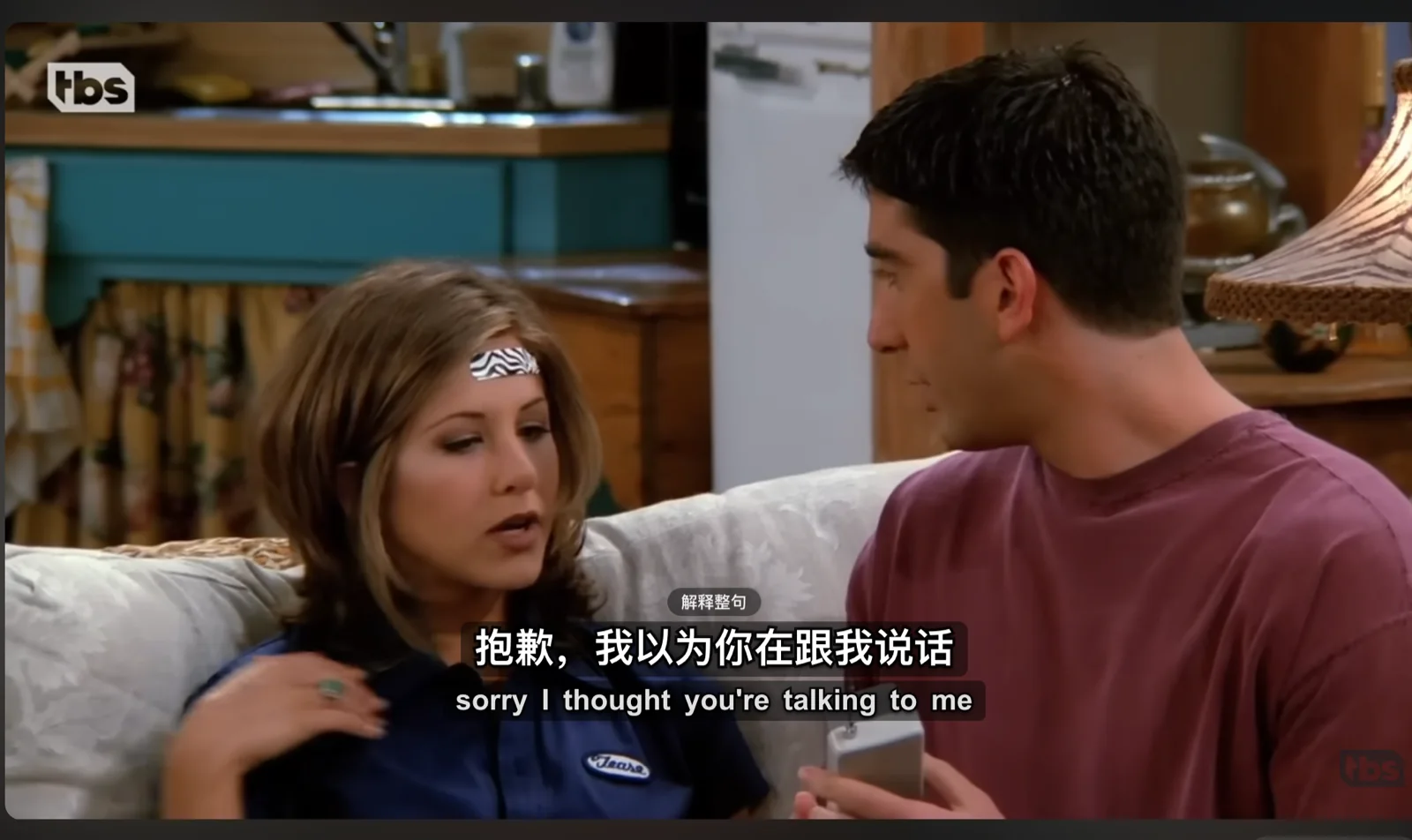
AI reads the current caption with surrounding dialogue to reduce rigid output.
Select text to see grammar, natural translation, and meaning in this video.
Natural dialogue, not rigid word-for-word output.
Subi reads the current caption together with nearby dialogue, then produces conversational wording while keeping the translation synced to the video.
YouTube auto-captionSorry, I thought you're talking to me.
“对不起,我以为你正在和我谈话。”
The meaning is recognizable, but the sentence sounds mechanical in Chinese.
“抱歉,我以为你在跟我说话。”
The same line becomes a natural phrase someone would actually say.
Use the current video's native caption track as the translation source.
Choose wording that matches the current exchange and tone.
Compare the source line with its translation without leaving the player.
IN-CONTEXT EXPLANATIONS
See what the line means, and why it was said that way.
Click a word, drag across a phrase, or explain a full sentence. Subi uses the current caption, nearby dialogue, the existing translation, and video information to show literal meaning, grammar, natural translation, and context.
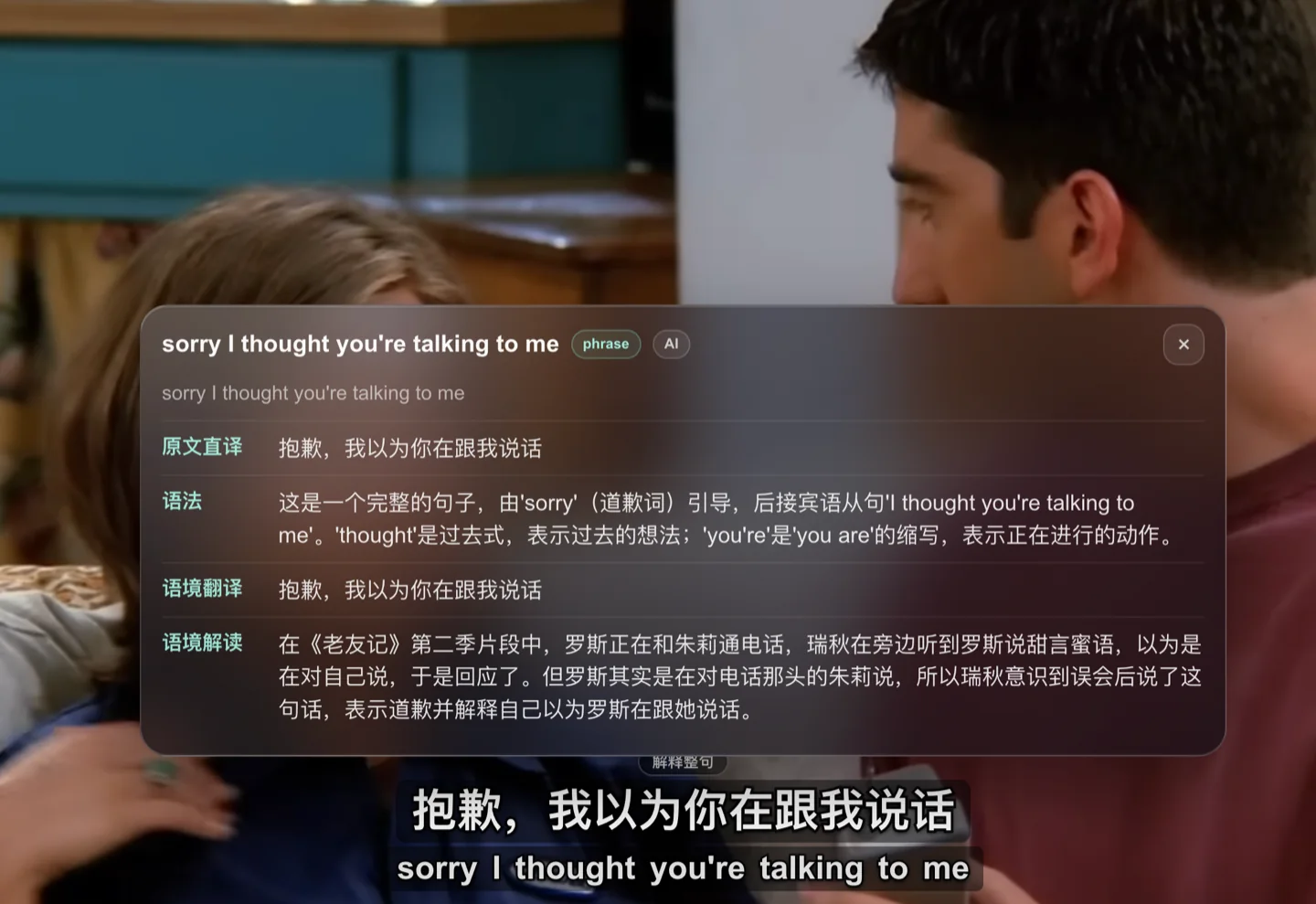
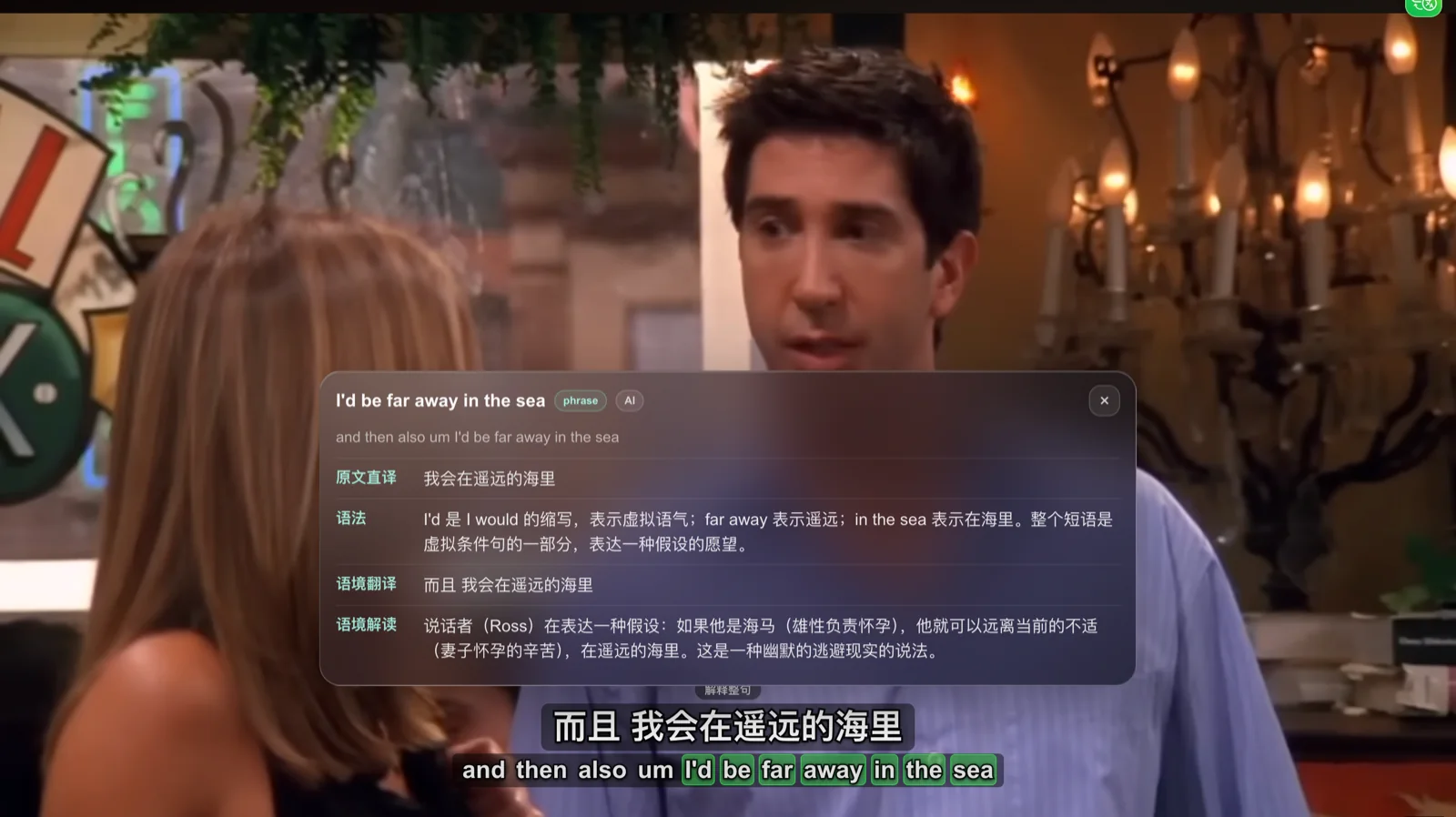
Literal translation tells you what was said. Context explains why.
A dictionary or word-for-word translation often stops at vocabulary and grammar. Subi uses captions and nearby dialogue from the current video to try to explain the speaker, the moment, slang, cultural background, or the joke.
- Literal
- “I'd be far away in the sea.”
- In context
- Nearby dialogue suggests that Ross may be joking about male seahorses carrying offspring to express that he wants to escape the discomfort.
Focused on one job: better YouTube subtitle translation.
No courses, vocabulary streaks, or a complicated learning path. Install the extension, open a video, and get bilingual captions and contextual explanations on the watch page.
 Open YouTube.
Start translating.
Choose credits for how often you watch.
Try subtitle translation and contextual explanations with free credits. Choose a monthly plan only when you need more.
Granted once per browser to verify captions and explanations.
Granted each calendar month after Google sign-in. Standard quality included.
Credits are deducted only after subtitles or explanations are generated successfully. Opening a video, failed generation, and reading a matching cache use no credits.
Frequently asked questions
Can I install Subi from the Chrome Web Store now?
Yes. Select “Add to Chrome” to open Subi's official store listing. Chrome handles installation and future updates.
Does opening a video use credits?
No. Credits are deducted only after subtitles or explanations are generated successfully. Reading a matching cache also uses no credits.
Does Subi search the web for cultural references?
Not currently. Context explanations use the selected text, current caption, nearby subtitles, existing translation, and video information.
Can Subi reuse a previous translation?
Yes. When the video, caption source, target language, and quality level match prior work, Subi prioritizes the cached result.